
MacClipsVideo, audio and photo tools, with AI, on your Mac
32 tools. One app. Nothing uploaded. Auto subtitles, text to video with captions, AI shorts, translation, dubbing, background removal and every everyday converter. Or just ask Claude.
Free for 7 days, then $2 once · 7.6 MB · macOS 14 or later
Install in one step: paste this in Terminal.
curl -fsSL https://2dollarmacapps.com/install-macclips.sh | bashDownloaded the file? macOS asks once: Done → Privacy & Security → Open Anyway. See how

32 tools. One app. Nothing uploaded.
MacClips is a native macOS app with 32 video, audio and photo tools: auto subtitles in about 50 languages, Text to Video that turns a script into a voiced video with word-by-word captions, an AI Shorts maker, translation and voice dubbing, noise and music removal, background removal, passport photos, compression to an exact size and everyday converters. Everything runs on your Mac with Apple's own frameworks, so nothing is uploaded, and with Ask Claude you can describe an edit in plain words and Claude runs MacClips' own tools for you.
How it works
- Pick a tool or just ask
Choose one of 32 tools from the sidebar, or press ⌘K and say what you want, like “add bold captions and make it under 10 MB”.
- Drop your files
Drag videos, audio or photos onto the window or the Dock icon. For Text to Video, type or paste a script.
- Check and save
Read and fix subtitles, translations and cuts before saving. The finished files go next to the originals.
Type a script. Get a captioned video.
Text to Video reads your words aloud with a natural voice and adds word-by-word captions in one of 28 styles, ready for Reels, Shorts and TikTok.
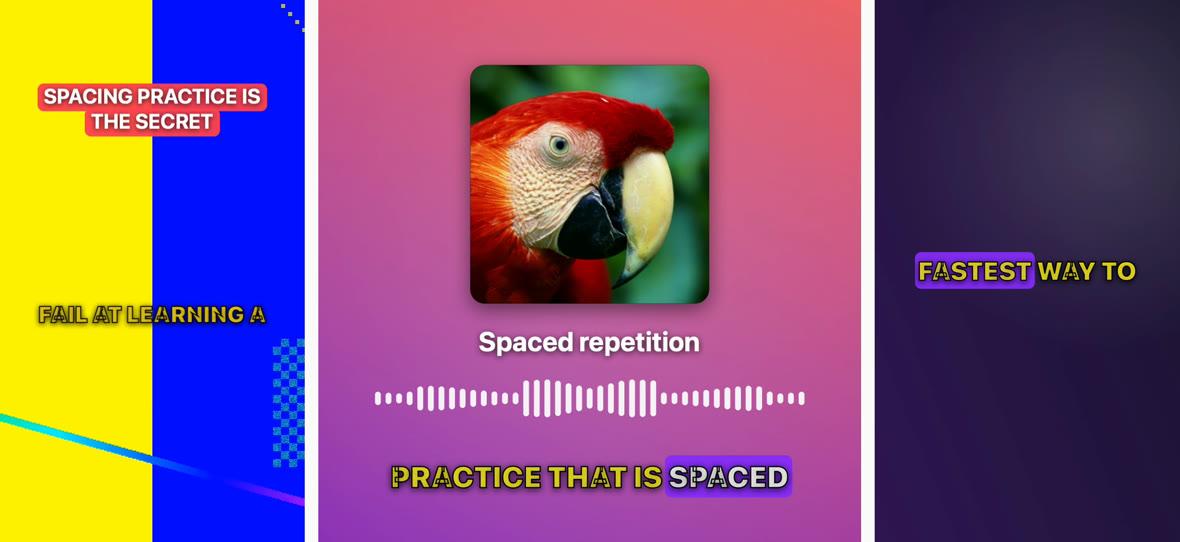
Shorts from your long videos.
AI Shorts Maker finds the best moments, crops them to 9:16 with face tracking and adds captions and a hook.
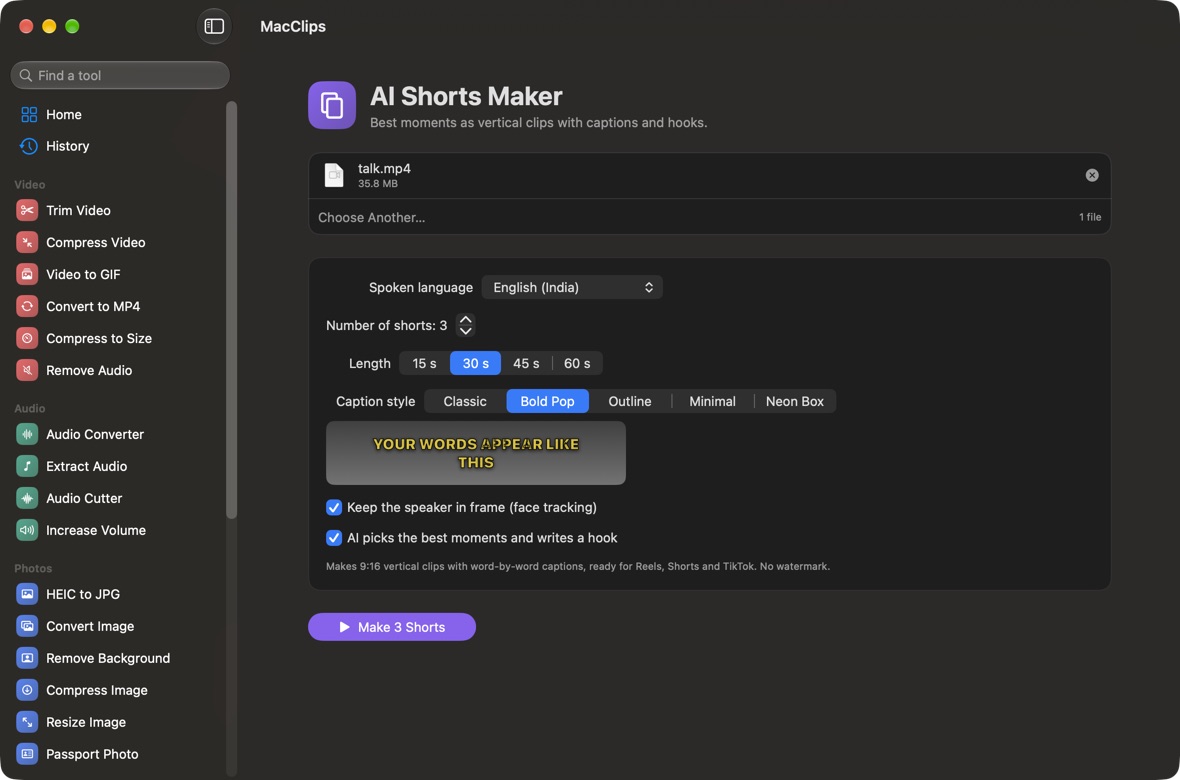
Subtitles in any language.
Translate subtitles into up to six languages at once, check every line, then save them or dub the whole video.
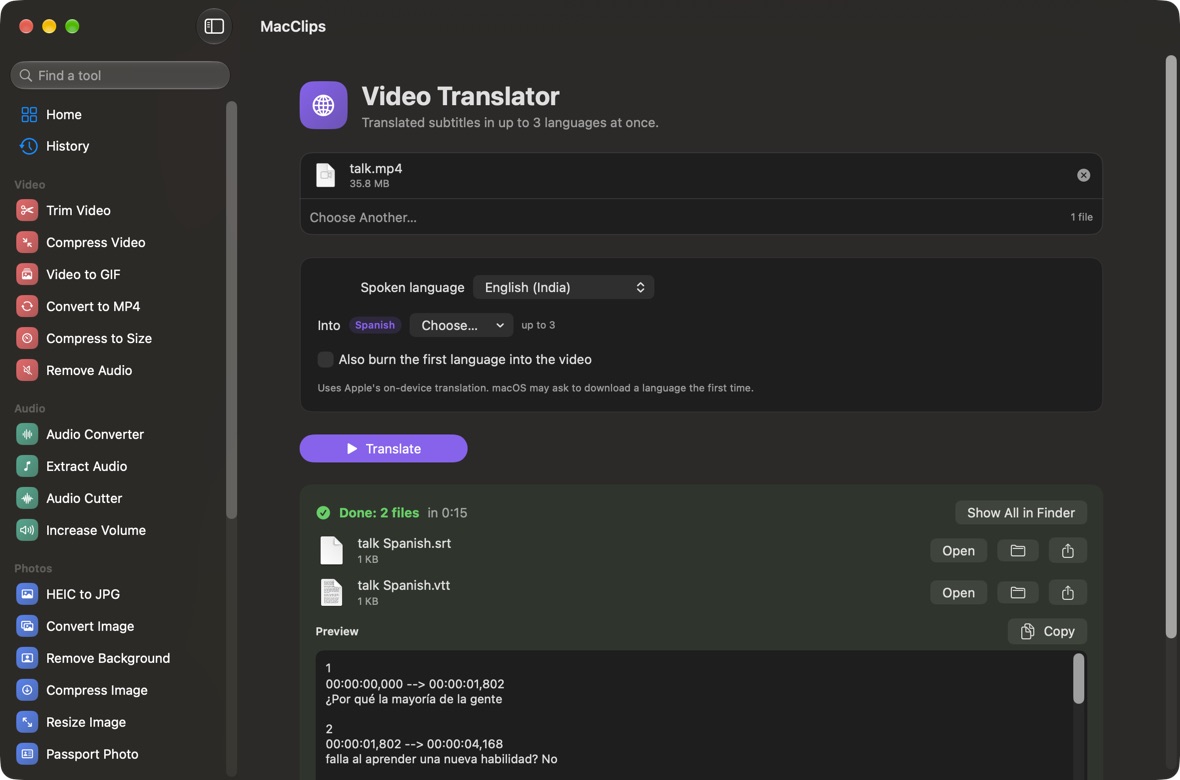
One-click cut-outs.
Remove a photo's background on your Mac, or make passport and ID photos at the right size and file limit.
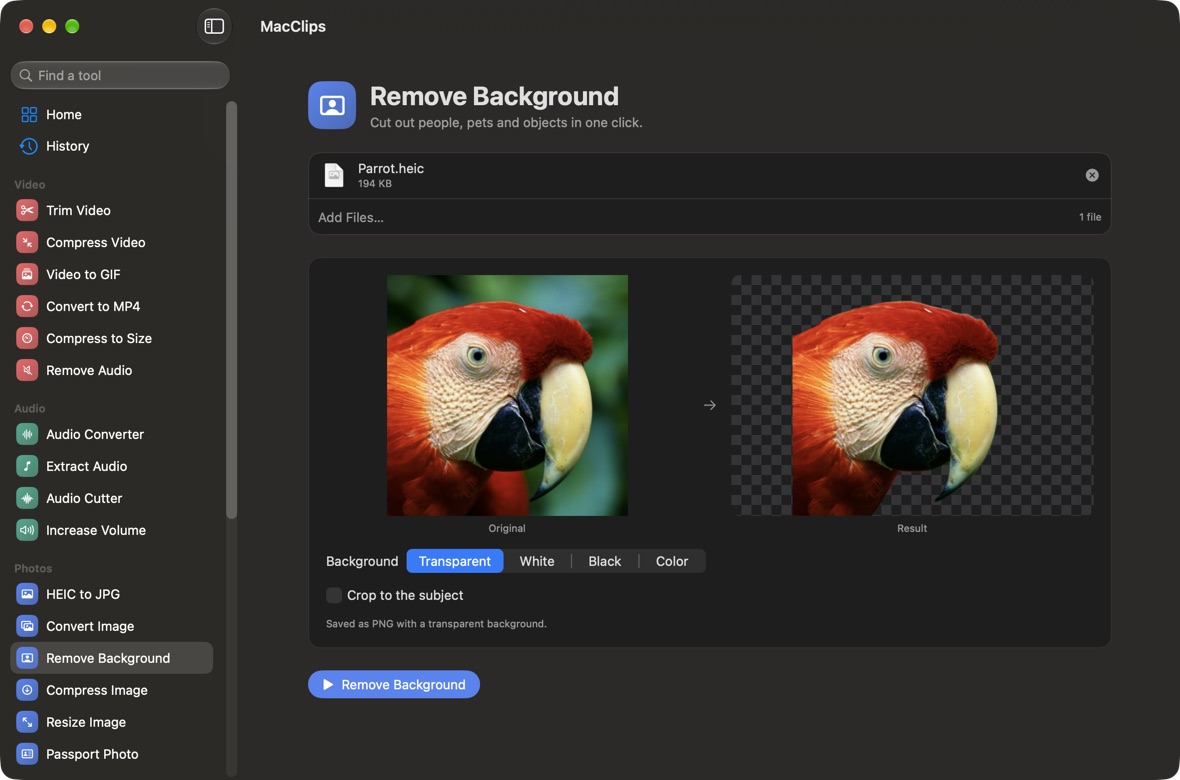
Everything it does
All included in the trial and the licenseText to Video, with captions
Type or paste a script and MacClips turns it into a finished video: a natural voice reads it, word-by-word captions light up as each word is spoken, and you pick the format (9:16, 1:1 or 16:9), the theme, your own background photos and one of 28 caption styles. The AI Reel Generator can even write the script for you from a topic.
Script to videoAI voiceWord-by-word captionsAsk Claude
Drop your files and say what you want, like “cut the ums and make three shorts with captions”. Claude picks and runs MacClips' own tools step by step, using Claude Code on your Mac and your own Claude plan. No API key. MacClips asks first, shows your plan's limits and how much each request used.
Claude CodeNo API keyWorks with your AI agents
Claude Code, Codex, Gemini CLI and other agents can run all 32 tools from Terminal. They send file paths and get short facts back, so even big videos cost few tokens, and they use MacClips' features rather than doing the work themselves.
MCPClaude CodeCodexGemini CLIChoose your AI writer
Titles, chapters, notes, Reel scripts, hooks and Shorts picks are written by Apple Intelligence on your Mac, at no extra cost. Or choose Claude in Settings for stronger writing, natural translation and Indian languages, on your own Claude plan.
Apple IntelligenceClaudeAuto subtitles
Speech to SRT and VTT, or captions burned in, in 28 styles: 27 animated word-by-word looks for Reels and Shorts, or classic lines. About 50 spoken languages, including Hindi, Tamil, Telugu, Bengali, Marathi and 8 more Indian languages, most of them transcribed on your Mac. Check and fix any line before saving.
28 styles~50 languagesSRT · VTTAI shorts
Finds the best moments in a long video and turns them into 9:16 clips with word-by-word captions, face tracking and an AI-written hook.
9:16Face trackingHooksTranslate and dub
Subtitles in up to six languages at once, or two on screen together, and full voice dubs. Read and fix the translation before saving or dubbing. With Claude as the AI writer, translation reads naturally and covers Tamil, Telugu, Bengali, Marathi, Kannada and more.
6 languages at onceVoice dubsText to speech
Turn any text into speech with every voice on your Mac, saved as audio. Download Apple's free Enhanced and Premium voices for the most natural sound.
All Mac voicesClean up audio
Remove background noise and electrical hum, take music out from under a voice, split songs into vocals and karaoke instrumentals, and make audio or a video's sound louder, or even it out to podcast loudness (−16 LUFS). A video's picture is never re-encoded.
NoiseMusicVocalsSmart editing
Cut long pauses, ums and retakes out of talking-head videos, watch the edit before making it, and add captions in the same step. Lecture to Notes writes a summary, notes, a quiz you can take and flashcards for Anki.
Cut umsNotesEvery everyday converter
Trim, compress (or hit an exact size like 8, 10, 20 or 25 MB), MP4 to GIF with speed and looping, convert to MP4 (MKV, WebM and AVI with ffmpeg), extract audio, ringtones, MP3 (with ffmpeg), HEIC to JPG, resize, compress and convert images.
CompressGIFMP4Photos
One-click background removal; passport and ID photos for 9 countries plus Aadhaar/PAN, exam forms and any custom size, with a KB limit and a printable 6×4 sheet; images made to fit a form's “between 20 and 50 KB” rule.
Cut-outsPassportPrivate by design
Everything runs with Apple's own frameworks on your Mac. Your files are never uploaded, and every tool works offline (Ask Claude needs the internet).
OfflineUpdates itself
MacClips checks for new versions and installs them with one click. No need to come back to this page.
One clickWorks from Finder
Drop files on the Dock icon, use Open With › MacClips, or right-click and choose Services › Open in MacClips.
DockServicesKeeps your quality
Videos keep their frame rate (24, 25, 30 or 60 fps) and orientation, audio stays at 44.1 or 48 kHz, and nothing clips.
24–60 fpsMacClips compared with other ways
| MacClips | Online tools | Subscription video apps | |
|---|---|---|---|
| Price | $2 once | Free with limits or watermarks | Monthly fee |
| Your files uploaded | Never | Yes | Often, to the cloud |
| Works offline | Yes | No | Varies |
| Text to video with captions | Yes | Some | Yes |
| Subtitles, shorts, dubbing, photos and converters in one app | Yes, 32 tools | One tool per site | Varies |
| Watermark | None | Often | Varies |
Big video editors do far more. MacClips is for the quick jobs you do every week, done on your Mac.
Price
Try it free. Pay $2 only if you like it.Free trial
- The whole app, every feature
- No card, no account, no email
- Nothing is charged when it ends
MacClips license
- Keep every feature after the trial
- All future updates included
- Use on up to 2 Macs
- 14-day refund, no questions asked
Local tax may be added at checkout. Your license key arrives by email: paste it in MacClips › Settings. Payments by Dodo Payments, our Merchant of Record. Refund policy.
Install
Quickest: paste this in Terminal. It downloads MacClips, puts it in Applications and opens it.
curl -fsSL https://2dollarmacapps.com/install-macclips.sh | bashNo warning this way: macOS only asks about apps downloaded in a browser.
Or download the app:
- 1Download
- 2Click Done, not Move to Bin
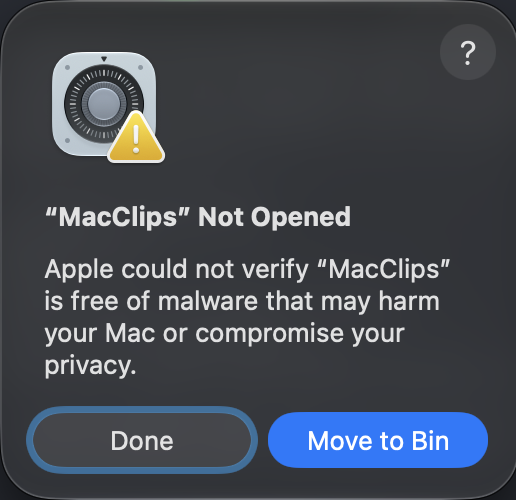
- 3Open AnywayPrivacy & SecurityMacClips was blockedOpen Anyway
Not in Apple's Developer Program yet, joining soon. Why macOS asks
SHA-256 of MacClips.dmg 1.2.0: 19116c8afc00be58b6b5bfa3f6066eeffc5535f9a9608349590689db4b9d4ebf
Questions
How much does MacClips cost?
Every feature is free for 7 days, starting the first time you open MacClips. After that, MacClips is $2 once for everything: every tool, Ask Claude, AI agents and all future updates. No subscription and no account; your license key arrives by email and goes in Settings › MacClips License.
Why does macOS say “Apple could not verify MacClips”?
Apple checks apps from developers in its paid Apple Developer Program, and we're not in it yet; we'll join it soon. The warning doesn't mean anything was found in MacClips. Install it with the one-line Terminal command on this page and you won't see it at all. If you downloaded the file, click Done, then System Settings › Privacy & Security › Open Anyway. You only do this once.
Are my videos uploaded anywhere?
No. Every tool runs on your Mac with Apple's frameworks: AVFoundation for video and audio, Vision for cut-outs and faces, Speech and Translation for words, and Apple Intelligence for writing. If you use Ask Claude, Claude sees file names, transcripts and short facts about your files, never the videos or photos themselves.
What is Ask Claude, and what does it cost?
Ask Claude lets you edit by chatting. It runs Claude Code, Anthropic's app, on your Mac with your own Claude account (Pro or Max), so there's no API key, and it's included when you buy MacClips. Each request uses part of your plan's usage, which is shared with any other Claude Code sessions you run. MacClips asks before you start, shows your 5-hour and weekly limits, and warns you when you're close. Claude only directs MacClips' tools; the editing runs on your Mac.
Can my own AI agent use MacClips?
Yes. MacClips is also an MCP server: Settings › Claude has a one-line setup for Claude Code and the config for Codex, Gemini CLI, Cursor and other agents.
Which languages does it understand?
About 50 for transcription and subtitles: English, Hindi, Tamil, Telugu, Bengali, Marathi, Gujarati, Kannada, Malayalam, Punjabi, Urdu, Odia, Nepali, Spanish, French, German, Italian, Portuguese, Japanese, Korean, Chinese and more. Most run on your Mac; a few use Apple's speech service, and MacClips marks those. Apple writes Indian languages in English letters; with Claude as the AI writer they come out in their own script.
Is there a watermark or a time limit?
No watermark, no sign-up and no limits on length or number of files. Every feature is free for 7 days; after that, MacClips is $2 once to keep using it.
How do I get updates?
MacClips checks for updates on its own and shows a bar when a new version is ready. Click Install and Relaunch and it updates itself in seconds. You can also choose MacClips › Check for Updates…
Which tools need Apple Intelligence?
The AI hooks in Shorts Maker, the Reel script writer and Lecture to Notes use Apple's on-device language model, so they need macOS 26 on a Mac with Apple Intelligence turned on. Everything else works on macOS 14 and later. Translation and dubbing need macOS 15 or later.
How good are the voices?
MacClips uses the voices installed on your Mac. Download the free Enhanced and Premium voices in System Settings › Accessibility › Spoken Content › Manage Voices for the most natural sound.
Can it remove music from any video?
It separates the voice in the centre of a stereo mix from the music around it, which works on most songs and many videos. Mono recordings can't be split.
Do I need anything else installed?
Not for most things: MP4, MOV, M4A, WAV, AIFF, FLAC, HEIC, JPG and PNG work straight away. Opening MKV, WebM and AVI videos, saving MP3s and reading WhatsApp voice notes also need the free ffmpeg tool (in Terminal: brew install ffmpeg); MacClips tells you when a file needs it. Ask Claude and the Claude AI writer need Claude Code, which MacClips helps you install.
Can MacClips turn text into a video with captions?
Yes. Text to Video turns a script into a video with a natural voice and word-by-word captions that light up as each word is spoken. Choose 9:16 for Reels, Shorts and TikTok, square or 16:9, a colour theme, your own photos and one of 28 caption styles. The AI Reel Generator can also write the script from a topic.
Information
- Provider
- 2 Dollar Mac Apps
- Size
- 7.6 MB
- Category
- Video, audio & photo tools
- Compatibility
- macOS 14 or later (AI writing tools need macOS 26 with Apple Intelligence; Ask Claude needs Claude Code and a Claude plan) · Apple silicon and Intel
- Languages
- English
- Version
- 1.2.0 · updated 2026-11-22
- Price
- $2 once · 7-day free trial
- License
- Up to 2 Macs, updates included
- Privacy
- Works offline. No account, no ads
Try MacClips free for 7 days.
Every feature, no card, no account. If you like it, keep it with a $2 thank-you, once.
 Buy · $2